
Lesson
AI Model Selection: Choosing the Right Model for the Right Job
Learning Objectives
- Define AI model selection as a workflow-design decision, not a brand or benchmark decision.
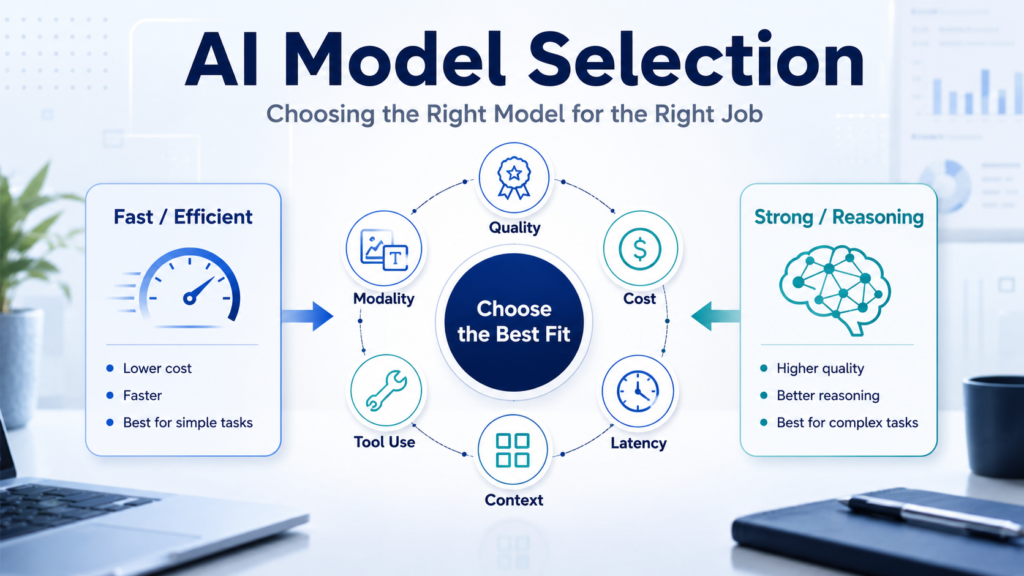
- Match model choice to task type, quality requirements, latency, cost, risk, context, and modality.
- Decide when a smaller, faster model is enough and when a stronger model is justified.
- Build a practical evaluation set for comparing candidate models on real business examples.
- Avoid common model-selection mistakes that create unnecessary cost, latency, or operational risk.
Prerequisites
Helpful background includes basic familiarity with LLMs, prompts, APIs, tokens, structured outputs, and business workflow automation. You do not need deep machine learning knowledge. The most important prerequisite is understanding that production AI systems should be evaluated against real tasks, not judged only by how impressive a model sounds in a demo.
AI model selection is a workflow decision
AI model selection starts with a blunt question: what does this workflow actually need the model to do?
That sounds obvious, but many teams skip it. They begin with a provider, a leaderboard, a viral benchmark, or the largest model available in their current tool. Then they try to force that model into every task: ticket triage, invoice extraction, sales-call summaries, internal search, document review, coding assistance, executive analysis, customer-facing chat, and operational routing.
That is not model selection. That is model defaulting.
Good AI model selection is closer to systems engineering. Define the job. Define the quality bar. Understand the failure cost. Measure latency. Estimate cost at real volume. Check the context requirements. Decide whether the model needs tools, structured outputs, multimodal input, strong reasoning, code ability, or privacy controls. Then test candidate models against examples from the actual workflow.
The goal is not to find the “best” model in the abstract. The goal is to find the simplest model that reliably meets the requirements of the job.
This matters because business AI systems are not just conversations. They are workflows. They classify support tickets, extract fields, summarize calls, search knowledge bases, draft responses, analyze contracts, update CRMs, prepare approvals, and trigger downstream actions. Each of those tasks has a different tolerance for cost, delay, ambiguity, and error.
A high-volume ticket classifier may need speed, low cost, stable labels, and confidence thresholds. A contract-review assistant may need longer context, stronger reasoning, better instruction following, citation discipline, and human review. An embedding workflow for semantic search does not need a chat model to “think” through every document; it needs a model designed to turn text into useful vector representations. A voice assistant may care more about real-time latency and audio support than maximum reasoning depth.
AI model selection is how a team stops treating models as magic and starts treating them as components.
Why “use the best model” is the wrong framing
The phrase “best model” is usually incomplete. Best for what?
Best for complex reasoning may not be best for high-volume classification. Best for coding may not be best for low-latency customer support. Best for long-context document analysis may not be best for extracting three fields from short emails. Best on a public benchmark may not be best on your messy internal tickets, contracts, transcripts, or CRM notes.
Official model-selection guidance from major providers tends to emphasize the same basic tradeoff: capability, cost, and latency. OpenAI’s model-selection guidance frames the decision around first reaching a quality target, then optimizing for cost and latency. Anthropic’s model-selection documentation similarly tells developers to consider capabilities, speed, and cost. Google’s model documentation distinguishes models optimized for low-latency, high-volume work from models designed for more complex reasoning and coding. Amazon Bedrock and Vertex AI both provide evaluation tooling because model choice should be tested, not assumed.
The practical lesson is simple: there is no universal winner.
There is only a model that fits a task under a set of constraints.
A team that ignores this will usually make one of two expensive mistakes.
The first mistake is over-specification. The team uses a highly capable, expensive, slower model for tasks that a smaller model could handle with the same operational quality. This increases cost and latency without improving the business outcome.
The second mistake is under-specification. The team uses a cheap or fast model for work where mistakes are expensive, context is long, judgment is subtle, or outputs affect customers, money, compliance, safety, or legal risk. This creates quiet failures that may look acceptable in a demo but break in production.
AI model selection is the discipline of avoiding both errors.
Start with the workflow, not the provider
A better process begins with the workflow.
Before comparing models, write down the job in operational terms. Do not start with “we need an AI assistant.” Start with something specific.
For example:
- Classify inbound support tickets by issue type, urgency, and escalation need.
- Extract invoice number, vendor, amount, currency, due date, and purchase order from PDF text.
- Summarize a sales call into CRM-ready notes with next steps and risk flags.
- Answer employee policy questions using retrieved internal documents.
- Review contract clauses and identify terms that require legal attention.
- Convert a user’s request into a structured workflow action.
- Draft a customer response that a human support agent can approve.
Those are different jobs. They should not automatically use the same model.
Once the job is clear, define the output consumer. Is the output for a person, a database, a workflow rule, a queue, a CRM, a legal reviewer, a support agent, or another model? A human-readable summary can tolerate some stylistic variation. A structured payload going into a CRM needs field-level consistency. A routing decision needs stable labels. A legal review workflow needs evidence, uncertainty handling, and review controls.
Then define the failure cost. If a model mislabels a low-priority support ticket, the cost may be a minor delay. If it misreads a contract renewal date, the cost may be much higher. If it drafts a wrong internal answer, a human may catch it. If it writes directly into a production system, the system needs stronger validation and approval gates.
This is why AI model selection belongs inside workflow design. The model is not the system. The model is one component inside a larger pattern that includes inputs, retrieval, prompting, validation, human review, logging, metrics, and downstream actions.
The AI model selection checklist
A practical checklist is more useful than a generic ranking.
Use these questions before choosing a model:
- What is the task type?
Is the task classification, extraction, summarization, reasoning, retrieval-grounded answering, coding, document analysis, image understanding, audio processing, tool use, or response drafting?
Different model families are optimized for different jobs. A chat model, embedding model, speech model, image model, and reasoning model are not interchangeable parts.
- What quality level is required?
Define what “good enough” means. For classification, it may mean label agreement with reviewed examples. For extraction, it may mean field-level accuracy. For summaries, it may mean human acceptance rate and factual faithfulness. For retrieval-grounded answering, it may mean answer correctness and citation quality.
Do not choose a model before defining the quality bar.
- What is the cost of error?
Low-risk internal summarization can tolerate more imperfection than contract review, financial analysis, HR decisions, customer-facing automation, or compliance-related outputs. Higher-risk workflows usually need stronger models, stronger validation, and more human review.
- What latency can the workflow tolerate?
A batch job that processes invoices overnight can tolerate slower responses than a customer-facing support assistant. A real-time voice interaction has tighter latency requirements than an internal analysis tool. Latency requirements can justify using a smaller or specialized model even when a larger model is more capable.
- What will the system cost at real volume?
Do not estimate cost from a demo. Estimate it from expected monthly requests, average input tokens, average output tokens, retries, tool calls, retrieval context, batch processing, and human review. Pricing changes, so current provider pricing pages should be checked before publication or deployment, not copied once and forgotten.
- How much context does the model need?
Some tasks use short messages. Others require long contracts, transcripts, logs, policy documents, or retrieved context. Longer context windows can be valuable, but they are not a substitute for good retrieval, chunking, summarization, or data design. More context also usually increases cost and can make evaluation harder.
- Does the model need structured outputs?
If the output feeds software, the model should support reliable structured output patterns or be wrapped with validation and repair logic. Structured outputs matter for extraction, classification, routing, CRM write-back, approval payloads, and API handoffs.
- Does the model need tool or function calling?
If the model must query a database, call an API, check order status, create a ticket, or prepare a workflow action, tool-use support matters. A model that writes nice prose is not enough if the system needs controlled interaction with software.
- Does the task require multimodal input?
Text-only tasks are different from workflows involving images, screenshots, scanned documents, audio, video, or layout-sensitive PDFs. Model selection should reflect the input, not just the desired output.
- What deployment, privacy, and governance constraints apply?
Some organizations require particular cloud regions, data-retention settings, audit logs, vendor approvals, self-hosting, private networking, or compliance review. A technically impressive model that cannot pass procurement, privacy, or governance requirements is not the right model for that organization.
Match model choice to task type
The fastest way to improve AI model selection is to stop treating all AI tasks as one category.
Classification
Classification assigns labels. Common business examples include ticket type, urgency, lead segment, document category, sentiment, policy area, and escalation need.
For clear taxonomies and high volume, a smaller or faster model may be enough. The keys are label clarity, examples, validation, confidence thresholds, and review queues. The model does not need to write brilliant prose. It needs to choose the right label consistently.
Extraction
Extraction pulls fields from text or documents. Examples include invoice amount, due date, vendor name, contract effective date, customer ID, account name, and next action owner.
Model choice depends on input complexity. Short, clean text may work with an efficient model. Long, messy, ambiguous, or layout-heavy documents may require stronger language understanding, document handling, or multimodal capabilities. Structured outputs and validation are usually more important than model eloquence.
Summarization
Summarization compresses information for human use. Examples include meeting notes, sales-call summaries, support case histories, incident reports, and executive briefings.
The model should be chosen based on length, required faithfulness, domain complexity, and review requirements. A quick internal summary may use a fast model. A high-stakes summary of a legal or medical document needs stricter review and may justify stronger capability.
Retrieval-grounded answering
Retrieval-grounded answering uses external knowledge sources rather than relying only on model memory. Model selection depends on the quality of retrieval, the need for citation discipline, reasoning over retrieved passages, and the risk of unsupported answers.
A common mistake is using a larger chat model to compensate for weak retrieval. That rarely fixes the underlying issue. First improve retrieval quality, chunking, metadata, and grounding. Then compare models.
Complex reasoning
Complex reasoning includes multi-step analysis, planning, debugging, strategic synthesis, financial analysis, and cases where the model must connect multiple constraints. These tasks may justify stronger reasoning models, especially when the answer requires more than classification or extraction.
Even then, stronger models should be tested against real examples. A more capable model can still produce confident errors if the prompt, context, or validation design is poor.
Coding
Coding tasks vary widely. Generating a small script is different from refactoring a large codebase, debugging a production issue, designing an architecture, or writing tests. Model choice should reflect repository size, language support, tool integration, code-review process, and risk.
For production code, the model output should still go through normal engineering controls: tests, review, security scanning, and version control.
Document and multimodal analysis
Some workflows need models that can process images, screenshots, scanned documents, tables, forms, or audio. In those cases, text-only model comparisons are incomplete. The model must be evaluated on the actual input type.
For example, invoice processing may require OCR, layout understanding, image analysis, or document parsing before the model even sees useful text. A model that performs well on plain text may fail on scanned forms.
A practical task-to-model decision guide
Use this as a starting point, not a fixed rule.
| Task | What matters most | Good starting point |
|---|---|---|
| Support ticket classification | Stable labels, low latency, low cost, confidence threshold | Smaller or faster text model |
| CRM field normalization | Structured output, validation, low cost | Smaller model with schema validation |
| Sales-call summary | Faithfulness, useful structure, action items | Mid-tier general model; stronger if calls are complex |
| Contract review assistance | Long context, nuance, evidence, review controls | Stronger reasoning or long-context model with human review |
| Internal knowledge Q&A | Retrieval quality, citation discipline, grounded answers | Model tested with RAG pipeline, not in isolation |
| Invoice extraction | Field accuracy, layout/document handling, validation | Document-capable or multimodal model when needed |
| Code generation | language support, reasoning, tests, repository context | Stronger coding-capable model for complex work |
| Real-time voice assistant | Audio support, low latency, interruption handling | Realtime or audio-specialized model |
| Semantic search | Embedding quality, retrieval performance | Embedding model, not a general chat model |
This table is intentionally cautious. It does not say one model or vendor is best. It says model requirements depend on the work.
Quality comes before cost, but cost still matters
There is a bad way and a good way to optimize cost.
The bad way is to choose the cheapest model first, ship it, and hope the mistakes are acceptable.
The good way is to define the minimum quality bar, test candidate models, and then pick the cheapest and fastest option that clears the bar with enough margin for real-world variation.
That order matters.
If a model cannot meet the accuracy, faithfulness, safety, or review requirements of the workflow, its low price is irrelevant. A cheap model that creates rework, escalations, customer frustration, incorrect records, or compliance exposure is not cheap.
But once the quality bar is met, cost and latency become serious design constraints. In high-volume workflows, small differences in token use and model price can matter. A support system processing hundreds of thousands of tickets per month should not default to the most expensive model if a smaller one produces equivalent routing quality with validation and review thresholds.
AI model selection should therefore happen in two passes.
First, prove that a model can do the job.
Second, prove that it can do the job efficiently.
How to test candidate models on real business examples
Public benchmarks can be useful background, but they are not enough. Benchmarks are usually broad. Business workflows are specific.
A real evaluation set should include examples from the workflow you intend to automate. For support classification, use actual support tickets. For invoice extraction, use real invoice formats or representative samples. For sales summaries, use real call notes or transcripts. For internal Q&A, use real questions employees ask and the documents that should support the answers.
A simple model-evaluation dataset can start with five fields:
- Input: the source text, document, transcript, or user request.
- Expected output: the label, extracted fields, summary requirements, or correct answer.
- Scoring rule: exact match, field-level match, human rating, rubric score, or acceptance criteria.
- Acceptable threshold: the minimum score required for production use.
- Failure notes: what kind of mistakes matter most.
For example, a support-ticket classifier might use:
- Input: “My account was charged twice after upgrading.”
- Expected output: issue_type = billing, urgency = medium, escalation = false.
- Scoring rule: exact match on issue_type and urgency; escalation reviewed separately.
- Acceptable threshold: 95% label agreement on reviewed sample before automation.
- Failure notes: billing issues mislabeled as technical create avoidable handoffs.
An extraction workflow might score each field separately:
- vendor_name
- invoice_number
- due_date
- total_amount
- currency
- purchase_order
This is better than asking whether the overall output “looked right.” Field-level scoring shows where the model fails.
A summarization workflow needs a different rubric. It may score factual faithfulness, missing critical facts, action-item accuracy, tone, and usefulness to the next user. A short summary can still fail if it omits the renewal deadline or invents a commitment the customer never made.
Plain-text Python example: compare candidate model outputs
The following example is illustrative. It does not call an AI provider, and it is not presented as executed output. It shows how a team can score collected outputs from two candidate models against the same small classification test set.
from dataclasses import dataclass
from typing import Dict, List

@dataclass
class TestCase:
    case_id: str
    input_text: str
    expected_issue_type: str
    expected_urgency: str

@dataclass
class CandidateOutput:
    case_id: str
    model_name: str
    issue_type: str
    urgency: str

test_cases = [
    TestCase(
        case_id="T001",
        input_text="I was charged twice after upgrading my plan.",
        expected_issue_type="billing",
        expected_urgency="medium",
    ),
    TestCase(
        case_id="T002",
        input_text="The app is down for our whole support team.",
        expected_issue_type="technical",
        expected_urgency="high",
    ),
    TestCase(
        case_id="T003",
        input_text="How do I change the email address on my account?",
        expected_issue_type="account",
        expected_urgency="low",
    ),
]

candidate_outputs = [
    CandidateOutput("T001", "candidate_fast", "billing", "medium"),
    CandidateOutput("T002", "candidate_fast", "technical", "medium"),
    CandidateOutput("T003", "candidate_fast", "account", "low"),

    CandidateOutput("T001", "candidate_strong", "billing", "medium"),
    CandidateOutput("T002", "candidate_strong", "technical", "high"),
    CandidateOutput("T003", "candidate_strong", "account", "low"),
]

def score_outputs(
    tests: List[TestCase],
    outputs: List[CandidateOutput],
) -> Dict[str, Dict[str, float]]:
    expected_by_id = {test.case_id: test for test in tests}
    scores: Dict[str, Dict[str, float]] = {}

    for output in outputs:
        expected = expected_by_id[output.case_id]
        model_scores = scores.setdefault(
            output.model_name,
            {"issue_type_correct": 0, "urgency_correct": 0, "total": 0},
        )

        model_scores["total"] += 1

        if output.issue_type == expected.expected_issue_type:
            model_scores["issue_type_correct"] += 1

        if output.urgency == expected.expected_urgency:
            model_scores["urgency_correct"] += 1

    for model_name, model_scores in scores.items():
        total = model_scores["total"]
        model_scores["issue_type_accuracy"] = model_scores["issue_type_correct"] / total
        model_scores["urgency_accuracy"] = model_scores["urgency_correct"] / total

    return scores

def estimate_monthly_cost(
    requests_per_month: int,
    average_input_tokens: int,
    average_output_tokens: int,
    input_price_per_million_tokens: float,
    output_price_per_million_tokens: float,
) -> float:
    input_cost = (
        requests_per_month
        * average_input_tokens
        / 1_000_000
        * input_price_per_million_tokens
    )
    output_cost = (
        requests_per_month
        * average_output_tokens
        / 1_000_000
        * output_price_per_million_tokens
    )
return input_cost + output_costThis is deliberately simple. A real evaluation would use more cases, reviewer labels, error categories, retries, latency measurements, and production logs. But even a small harness is better than choosing based on vibes.
The point is not that exact-match scoring solves every model-selection problem. The point is that AI model selection should produce evidence. If a fast model misses high-urgency tickets, that matters. If a stronger model performs only slightly better but costs far more at volume, that also matters. The right choice depends on the task and the threshold.
When smaller models are enough
Smaller or faster models can be the right choice when the task is narrow, the input is short, the output is constrained, and the failure cost is manageable.
Good candidates include:
- classifying support tickets into a stable taxonomy;
- normalizing lead-source values;
- extracting simple fields from clean text;
- rewriting short internal notes into a consistent format;
- tagging documents by type;
- generating short drafts that a human always reviews;
- routing low-risk records into queues.
These tasks should still be tested. Small models are not automatically safe. But when the structure is clear and validation exists, a smaller model may deliver the same business result with lower cost and better latency.
This is especially important in high-volume workflows. Saving fractions of a cent per request can become meaningful when the system runs hundreds of thousands or millions of times. Lower latency can also improve user experience and reduce queue delays.
The safest pattern is not “small models everywhere.” It is “small models where they pass the evaluation.”
When stronger models are justified
Stronger models are justified when the task genuinely needs stronger capability.
Examples include:
- complex legal, financial, or technical analysis;
- long documents with subtle dependencies;
- multi-step reasoning;
- coding and debugging;
- ambiguous customer issues that require judgment;
- multimodal analysis involving images, screenshots, forms, or audio;
- synthesis across many retrieved sources;
- high-risk outputs where mistakes are expensive;
- workflows where human reviewers need strong first drafts, not just rough guesses.
A stronger model may also be useful early in development. Teams can start with a more capable model to understand what good output looks like, then test whether a cheaper model can match enough of that performance after prompts, schemas, retrieval, and validation improve.
That does not mean stronger models remove the need for controls. They still need grounding, evaluation, logging, fallbacks, and review design. A better model can reduce some failure rates, but it does not turn a poorly designed workflow into a safe production system.
How model choice interacts with prompting and structured outputs
AI model selection cannot be separated from prompting.
A weaker prompt can make a strong model look unreliable. A well-structured prompt can make a smaller model perform well on a narrow task. Examples, constraints, output schemas, definitions, and explicit success criteria all affect model performance.
Structured outputs matter for the same reason. If the model needs to feed a database, queue, API, or approval workflow, the output must be inspectable. A paragraph that “looks right” is not enough. The system needs fields, types, allowed values, null handling, and validation.
This is where model choice and workflow design meet. A smaller model with a clear schema and validator may outperform a larger model asked for vague prose. A stronger model may still be needed when the extraction is difficult, the context is long, or the semantics are subtle. But the schema, validator, and business rules are still part of the reliability layer.
Tool use adds another dimension. If the model must call an API, retrieve order information, check account status, or trigger an action, the model must support the tool-use pattern your architecture requires. Even then, the system should control permissions, validate arguments, and separate proposed actions from approved actions.
Latency is a product requirement, not an afterthought
Latency shapes model choice.
A back-office batch workflow may tolerate slower processing if the quality is better. A support agent waiting for a suggested reply may tolerate a few seconds. A real-time voice assistant may need very low latency. A user-facing checkout assistant may need speed because delay affects conversion.
This is why AI model selection should include actual timing measurements. Measure end-to-end latency, not just model response time. Retrieval, file parsing, tool calls, retries, validation, network overhead, and logging can all contribute.
Sometimes the right answer is not one model. A workflow may use a fast model for first-pass classification and reserve a stronger model for exceptions. That starts to become model routing, which is a later architectural pattern, but the model-selection lesson is the same: different tasks have different requirements.
Cost is more than token price
Token price matters, but it is not the whole cost.
A production cost estimate should include:
- input tokens;
- output tokens;
- retrieved context;
- retries;
- tool calls;
- batch jobs;
- caching;
- human review;
- logging and monitoring;
- engineering maintenance;
- correction and rework.
A cheap model that needs repeated retries or creates many human corrections may cost more operationally than a more capable model. A more expensive model that reduces review time may be worth it in a high-value workflow.
This is why teams should track downstream acceptance rate, correction rate, escalation rate, and time saved. Model cost is visible on the invoice. Workflow cost shows up in operations.
Common AI model selection mistakes
Mistake 1: Choosing by benchmark alone
Benchmarks are useful signals, but they are not your workflow. They may not reflect your data, risk tolerance, user behavior, document formats, language mix, or output requirements.
Mistake 2: Defaulting to the largest model
Largest does not always mean best for the job. It may be slower, more expensive, and unnecessary for narrow tasks.
Mistake 3: Choosing the cheapest model before defining quality
Cost optimization without a quality threshold is not optimization. It is gambling.
Mistake 4: Ignoring latency until launch
A model that works in a demo may feel unusable inside a real-time workflow. Measure latency early.
Mistake 5: Testing only happy paths
Evaluation sets should include messy, ambiguous, incomplete, adversarial, and edge-case examples. Production inputs are rarely as clean as demos.
Mistake 6: Treating structured output as correctness
Structured output can prove that a response matches a shape. It does not prove the value inside each field is true. A valid JSON object can still contain the wrong due date.
Mistake 7: Ignoring human review design
Higher-risk workflows need review thresholds, escalation paths, and audit trails. Model choice alone does not solve governance.
Mistake 8: Forgetting deployment constraints
The best technical model is not useful if it cannot meet security, privacy, procurement, region, or operational requirements.
A practical AI model selection framework
Use this step-by-step process for real projects.
Step 1: Define the task
Write one sentence describing exactly what the model must do. Avoid vague phrases like “analyze documents” or “help support.” Define the actual input and output.
Step 2: Define the output contract
Specify whether the output should be a label, structured object, summary, answer, draft, tool call, or review recommendation.
Step 3: Define the quality bar
Create measurable criteria. For example: 95% label agreement, 98% required-field validity, less than 5% reviewer correction rate, no unsupported high-risk claims, or citation accuracy above a reviewed threshold.
Step 4: Define risk level
Classify the workflow as low, medium, or high risk. Consider customer impact, money movement, compliance, legal exposure, reputational risk, and reversibility.
Step 5: Choose candidate models
Select at least two candidates when possible: one efficient model and one stronger model. Include specialized models when relevant, such as embedding, audio, image, or document-capable models.
Step 6: Build an evaluation set
Use real or representative examples. Include normal cases, edge cases, incomplete inputs, noisy inputs, and known difficult examples.
Step 7: Test with the same prompt and workflow controls
Do not compare one model with a polished prompt against another with a weak prompt. Keep the workflow as comparable as possible.
Step 8: Measure quality, latency, and cost
Look at accuracy, correction rate, invalid outputs, latency distribution, estimated monthly cost, and failure patterns.
Step 9: Choose the simplest model that clears the bar
If the smaller model passes, use it. If it fails on important cases, use the stronger model or redesign the workflow.
Step 10: Monitor in production
Model selection is not finished at launch. Track drift, new failure modes, cost changes, latency changes, provider changes, and real user outcomes.
What “good enough for production” actually means
Good enough does not mean perfect. It means the model meets the workflow’s required quality level with appropriate safeguards.
For a low-risk internal summarization tool, good enough may mean that employees find the output useful and can easily correct mistakes.
For ticket routing, good enough may mean high label agreement, clear escalation thresholds, and low misrouting rates.
For invoice extraction, good enough may mean high field-level accuracy, schema validity, business-rule checks, and human review for low-confidence cases.
For legal review, good enough may mean the model never acts autonomously, cites evidence, highlights uncertainty, and routes all outputs to qualified human reviewers.
The definition changes by workflow. That is the point.
AI model selection is not about ego. It is about fit.
Conclusion: choose models like an operator
The best model-selection process is practical, measured, and unsentimental.
Start with the workflow. Define the task. Set the quality bar. Understand the failure cost. Compare latency and cost. Test on real examples. Add validation, review, and logging. Then choose the simplest model that reliably does the job.
Sometimes that will be a smaller, faster model. Sometimes it will be a stronger reasoning model. Sometimes it will be an embedding model, multimodal model, audio model, or specialized system component. The right answer depends on the task.
AI model selection becomes much easier when teams stop asking, “Which model is best?” and start asking, “Which model meets this workflow’s requirements with the least unnecessary cost, latency, and risk?”
That is the operator’s answer. It is also the one that scales.
Key Takeaways
- AI model selection is a workflow-design decision, not a provider-loyalty decision.
- The right model depends on task type, quality requirements, error cost, latency, volume, context, modality, and governance constraints.
- Start by defining the quality bar, then optimize for cost and latency.
- Smaller models can be excellent for narrow, high-volume, well-structured tasks when they pass evaluation.
- Stronger models are justified for complex reasoning, long context, coding, multimodal analysis, and higher-risk work.
- Public benchmarks are not enough. Test candidate models on real examples from your own workflow.
- Structured outputs, validation, retrieval, review design, and logging are part of the system. They do not disappear because the model is strong.
Practical Exercise
Objective:
Build a lightweight AI model selection scorecard for one business workflow.
Task:
Choose one workflow from your business or a realistic example:
- support ticket classification;
- invoice field extraction;
- sales-call summarization;
- internal policy Q&A;
- contract metadata review;
- CRM note cleanup;
- customer-response drafting.
Define the following:
- The task
Write one sentence describing what the model must do.
Example: “Classify inbound support tickets by issue type, urgency, and escalation need.”
- The output contract
Decide whether the output should be a label, structured object, summary, answer, draft, or tool-call payload.
- The quality bar
Define measurable success.
Examples:
- 95% correct issue-type labels on reviewed examples;
- 98% valid structured outputs;
- fewer than 5% human corrections on summary fields;
- all high-risk answers routed to review;
- no write-back to CRM unless required fields pass validation.
- The candidate models
Pick two candidate model types:
- one faster or lower-cost model;
- one stronger or more capable model.
Do not assume either one wins.
- The evaluation set
Create 20 representative examples. Include at least:
- 10 normal cases;
- 5 messy or ambiguous cases;
- 3 edge cases;
- 2 high-risk cases.
- The scorecard
Score each candidate on:
- quality;
- latency;
- estimated cost;
- invalid output rate;
- review rate;
- failure severity;
- operational fit.
What success looks like:
A successful result is a short model-selection recommendation that says:
- which model should be used first;
- why it meets the quality bar;
- where it fails;
- what validation or review controls are required;
- when the team should upgrade to a stronger model.
Stretch goal:
Add a cost estimate using expected monthly request volume, average input tokens, average output tokens, retries, and current provider pricing. Do not use stale pricing. Check the provider’s official pricing page before making a deployment decision.
FAQ
What is AI model selection?
AI model selection is the process of choosing the right model for a specific workflow based on task type, quality needs, latency, cost, context, modality, safety, and operational constraints.
Should I always use the most powerful AI model?
No. The most powerful model may be unnecessary, slower, or more expensive for narrow tasks. Use the simplest model that reliably meets the workflow’s quality and risk requirements.
When is a smaller model enough?
A smaller model may be enough for clear, narrow, high-volume tasks such as classification, simple extraction, normalization, or low-risk drafting when evaluation shows it meets the quality bar.
When should I use a stronger model?
Use a stronger model when the task requires complex reasoning, long context, coding ability, multimodal understanding, subtle judgment, or lower tolerance for mistakes.
Are public benchmarks enough for choosing a model?
No. Benchmarks can provide useful background, but production model choice should be based on real or representative examples from your workflow.
How does cost affect model selection?
Cost matters after quality is defined. A cheap model that fails the task is expensive operationally. Once models meet the quality bar, choose the lowest-cost and lowest-latency option that remains reliable.
Does structured output make a model’s answer correct?
No. Structured output helps enforce format and schema. It does not prove that the content inside the fields is factually correct. You still need validation, business rules, review, and evaluation.
How often should model selection be revisited?
Revisit model selection when task requirements change, volume changes, pricing changes, provider capabilities change, latency requirements shift, or production monitoring shows drift or new failure modes.
Sources
- OpenAI Model Selection Guide: https://developers.openai.com/api/docs/guides/model-selection
- OpenAI Models Documentation: https://developers.openai.com/api/docs/models
- OpenAI API Pricing: https://developers.openai.com/api/docs/pricing
- OpenAI Evaluation Best Practices: https://developers.openai.com/api/docs/guides/evaluation-best-practices
- Anthropic Choosing the Right Model: https://platform.claude.com/docs/en/about-claude/models/choosing-a-model
- Google Gemini API Models: https://ai.google.dev/gemini-api/docs/models
- Google Vertex AI Gen AI Evaluation Service Overview: https://docs.cloud.google.com/vertex-ai/generative-ai/docs/models/evaluation-overview
- Amazon Bedrock Evaluation Documentation: https://docs.aws.amazon.com/bedrock/latest/userguide/evaluation.html
- NIST AI Risk Management Framework: https://www.nist.gov/itl/ai-risk-management-framework
- Stanford HELM: Holistic Evaluation of Language Models: https://crfm.stanford.edu/helm/
Related articles from Kyle Beyke
- Production Prompting: Essential Business AI Guide: https://kylebeyke.com/production-prompting-business-ai-guide/
- Structured Outputs for AI Workflows: Reliable Guide: https://kylebeyke.com/structured-outputs-for-ai-workflows-guide/
- Powerful Text Classification, Extraction, and Summarization with AI: https://kylebeyke.com/text-classification-extraction-summarization-ai/
- AI Workflow Anatomy: Essential Guide for Business: https://kylebeyke.com/ai-workflow-anatomy-business-guide/
- How LLMs Work: Essential Guide for Builders: https://kylebeyke.com/how-llms-work-builders-guide/